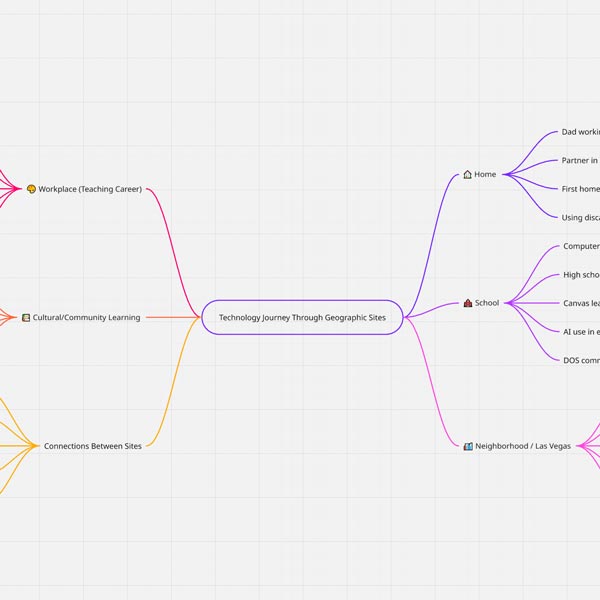
This artifact is a digital concept map created in Miro, representing the different geographic and community spaces that shaped my technology journey. I organized my experiences across home, school, workplace, and the Las Vegas community to show how each location influenced my comfort with and approach to using technology. I used Miro's tools; such as color-coded branches, shapes, and connectors, to visually categorize memories and highlight patterns across environments.
Educationally, this kind of concept map can help students break down complex ideas, organize brainstorming for art projects, or visually represent their own learning processes in any subject. While creating the map, I relied on key computational thinking practices such as decomposition (breaking my journey into sites and experiences), pattern recognition (noticing how community tech exposure preceded classroom access), and abstraction (summarizing detailed memories into clear, simple nodes).
As a ceramics teacher in a Title I, minority-majority school, I see how powerful visual tools like Miro can be for students who learn better through images and structure rather than long text. This project also reinforced how intentional design, both in art and in technology, helps communicate bigger stories with clarity and impact.
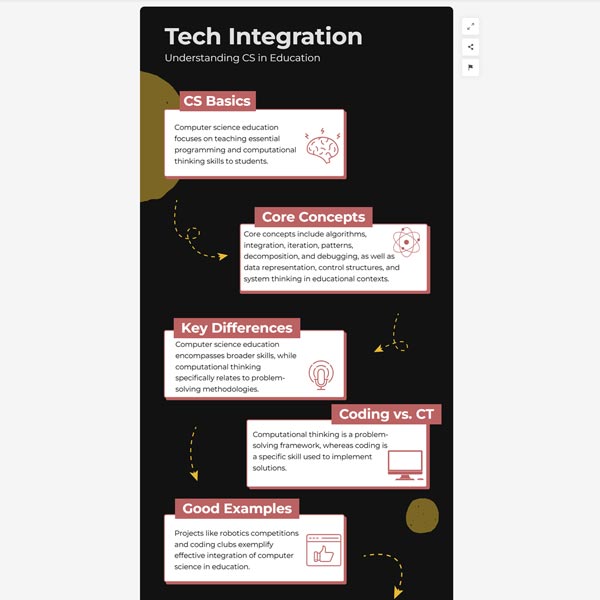
This artifact is an infographic I created using Infogram, designed to summarize my understanding of computer science education and computational thinking within the context of secondary teaching. The visual layout allowed me to break down core concepts; such as abstraction, decomposition, debugging, algorithms, and the differences between computer science, computational thinking, and basic coding, into clear sections that are easy to digest.
Infographics like this can be used educationally to help students visually organize complex ideas, present research, or demonstrate learning in a creative format. As a ceramics teacher in a Title I, minority-majority school, I see how tools like Infogram can support students who benefit from visual scaffolding and multimodal expression, especially when academic language can feel overwhelming. In developing this infographic, I used computational thinking skills such as classification (sorting ideas into categories), pattern recognition (identifying misconceptions students often have about coding vs. computational thinking), and abstraction (condensing academic definitions into student-friendly explanations).
This process also helped me realize how computing knowledge supports every subject area, including the arts, by encouraging problem-solving, iterative thinking, and digital literacy. The final infographic reflects both my learning and my belief that technology integration is not just a CS topic; it's a tool for empowering all students across content areas.
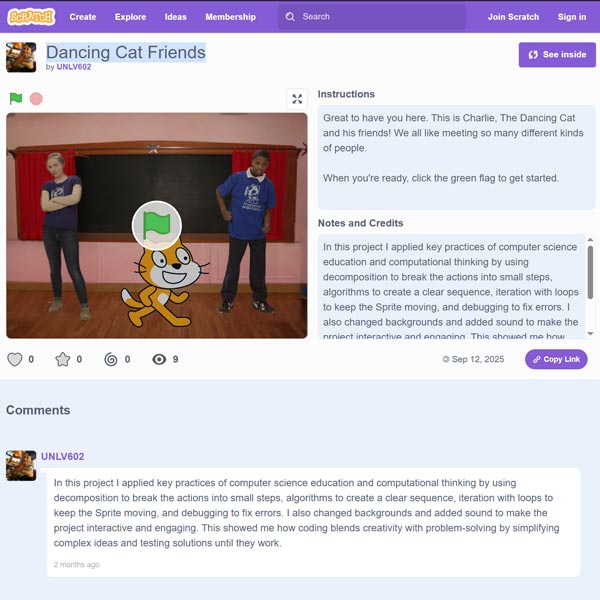
This artifact is a short interactive animation created in Scratch, where I coded a Sprite to move, and interact with changing backgrounds and sound effects. Using Scratch allowed me to explore coding through a visual, block-based system, which made it easier to understand the flow of commands and see immediate results.
A project like this can be used educationally to introduce students, especially those who may be intimidated by traditional coding, to core programming ideas in an accessible, creative way. As a ceramics teacher in a Title I, minority-majority school, I see how Scratch can empower students who might not have coding backgrounds by letting them experiment, test ideas, and build confidence through play and design.
In creating this project, I applied important computational thinking practices including decomposition (breaking actions into small steps), algorithms (sequencing commands clearly), iteration (using loops for repeated movement), and debugging (finding and fixing errors to make the animation work). I also layered in creative elements like sound and background changes to show how coding blends logic with artistic expression; something that resonates strongly with my own teaching in the arts.
This assignment helped me realize how coding can support all content areas by strengthening students' problem-solving skills, attention to detail, and willingness to revise until they succeed.
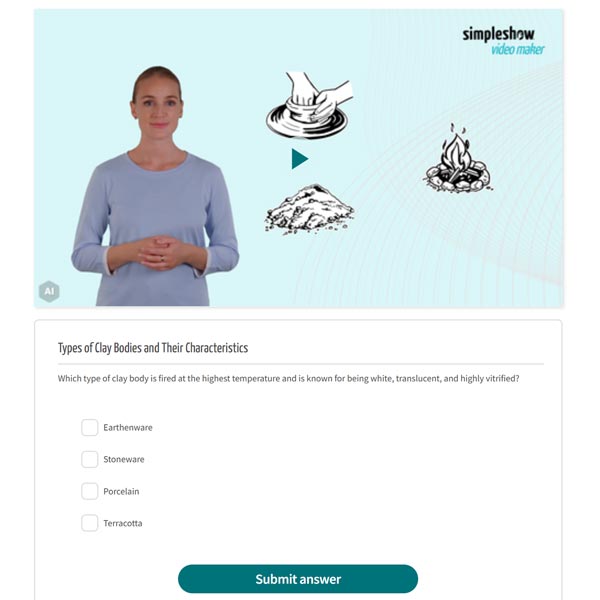
This artifact is a short animated instructional video created with MySimpleShow, which introduces students to the three major clay bodies; earthenware, stoneware, and porcelain, through simple visuals, narration, and concise explanations. The tool allowed me to combine text, icons, images, and an AI-generated voiceover to present the content in a way that supports multiple access points for learning, which is especially important in my Title I, minority-majority ceramics classroom.
A resource like this can be used educationally to front-load vocabulary, reinforce studio concepts, or offer an alternative format for students who benefit from visual or auditory scaffolds. In creating the video, I applied computational thinking by breaking the lesson into clear, sequential steps, organizing information logically, and refining the script through iterative editing to make the content accessible without oversimplifying it. I also engaged with the tool's AI-driven narration, which can support English learners by providing consistent, clearly enunciated language modeling. However, while AI narration helps students access content, I recognize that my ELL students still need structured opportunities to practice academic language actively rather than only receiving it passively.
Overall, this multimedia artifact reflects how technology can enhance clarity, support inclusive design, and expand the ways my ceramics students engage with foundational clay concepts.